
OpenClaw Guide
Deploy OpenClaw agents on Maritime.
Overview
OpenClaw is a Node.js-based autonomous AI agent platform with 100+ built-in skills including web browsing, code execution, file management, and more. Maritime deploys the official OpenClaw Docker image directly, so everything in the upstream OpenClaw docs applies to agents running here.
Docker Image
Image: ghcr.io/openclaw/openclaw:2026.7.1
The official image, published from GitHub Container Registry. Runs the gateway on port 18789.
How It Works
OpenClaw runs its own gateway server natively, so no wrapper is needed. Maritime pulls and starts the official image with headless mode enabled.
# The container runs with:
OPENCLAW_HEADLESS=true
# Gateway listens on port 18789
Environment Variables
No key is required: without one, Maritime injects a per-agent proxy token, billed against your AI credits. To pay your provider directly instead, set OPENAI_API_KEY or ANTHROPIC_API_KEY as a secret env var; OpenClaw supports multiple LLM providers.
Deploy
Select Template → OpenClaw Agent in the Create Agent modal, or:
maritime create my-agent --template openclawTalk to it
Chat from the terminal (sleeping agents wake on their own):
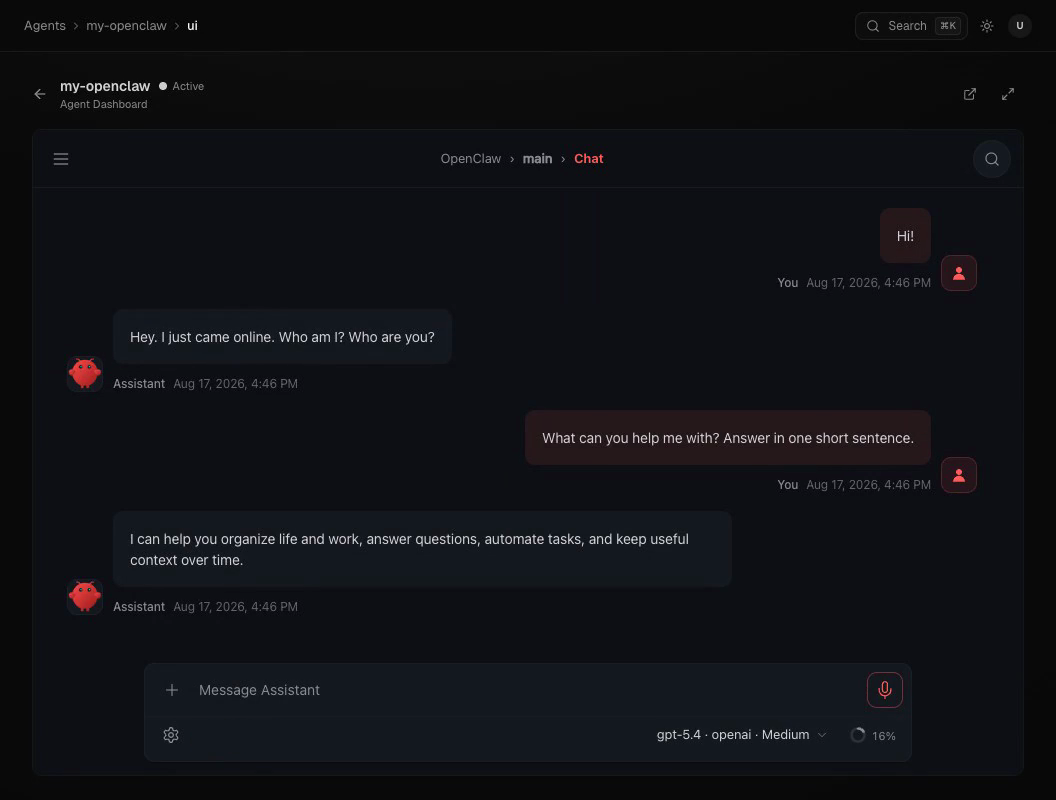
maritime chat my-agent "what can you do?"Or open the agent in the dashboard and click OpenClaw Dashboard for OpenClaw's full native UI: sessions, files, cron jobs, and usage alongside the conversation. To reach it from your phone, pair Telegram or WhatsApp; to make it act on a schedule, add a trigger.
Upstream links & resources
- openclaw.ai: the official OpenClaw site, covering what the assistant is and its full feature tour.
- docs.openclaw.ai: upstream documentation for everything inside the container, including
openclaw.jsonconfiguration, skills, channels (WhatsApp, Telegram, and more), and gateway internals. Maritime handles hosting; this covers the agent itself. - openclaw/openclaw: the source repository, with release notes for the version pinned here, the issue tracker, and the skill catalog.
- ghcr.io/openclaw/openclaw: the exact container image Maritime deploys, with all published tags.