
A monthly AI budget for each agent
Give your end users a home in the dashboard, set a monthly AI spend limit per agent, see where the money goes in a new Activity tab, and let a coding agent deploy first and claim later.
A Users page for the people you build for
If you build a product on Maritime, your own users now have a home in the dashboard. The Users page lists each end user you register through the API, the agents that belong to them, and a policy you can edit, and you can suspend, resume, or delete them from there. You can also mint short-lived tokens so a user's own app reaches only their agent and nothing else.
See your users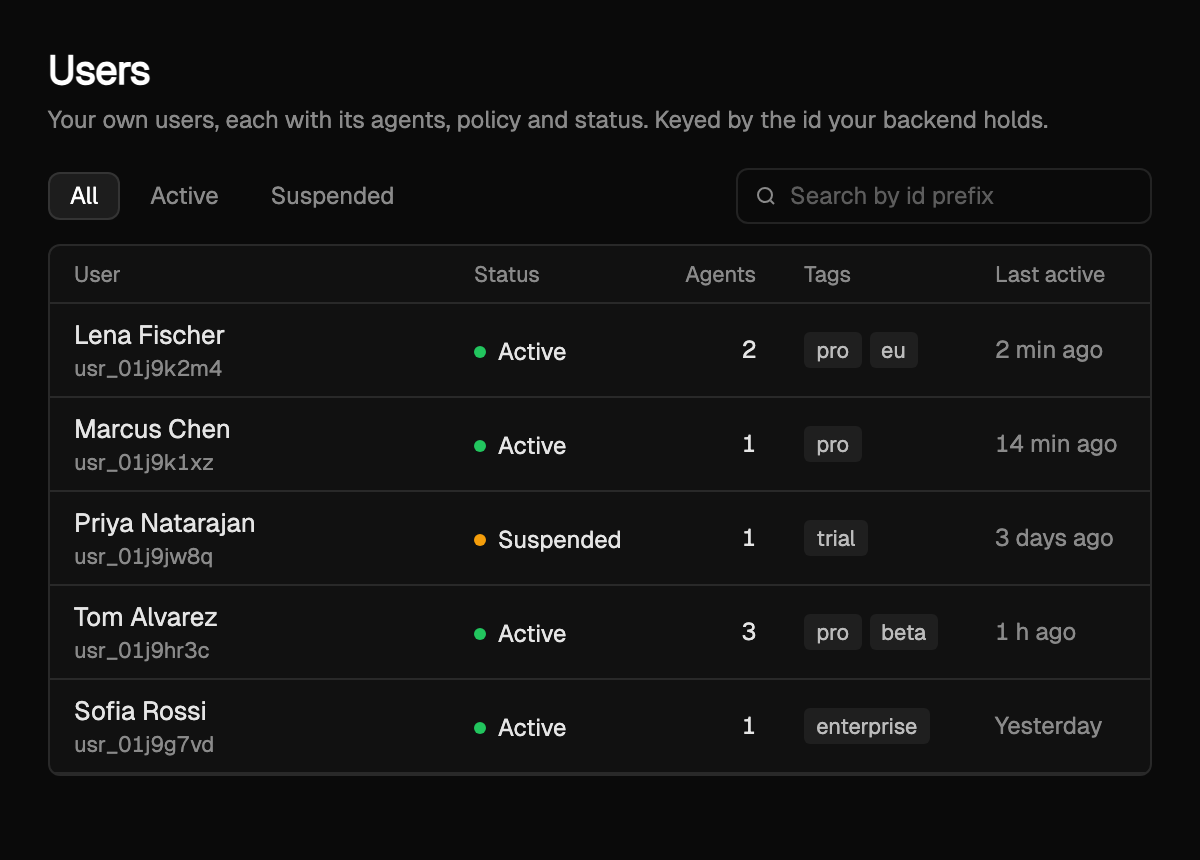
A monthly AI spend limit for each agent
Open any agent and give it a dollar cap for the month. When it gets there, only that agent stops calling models while the rest of your agents keep going, and you get a webhook the moment it happens. There is an account-wide default in Settings for agents without a limit of their own.
Set a limit on your agentsAn Activity tab on every agent
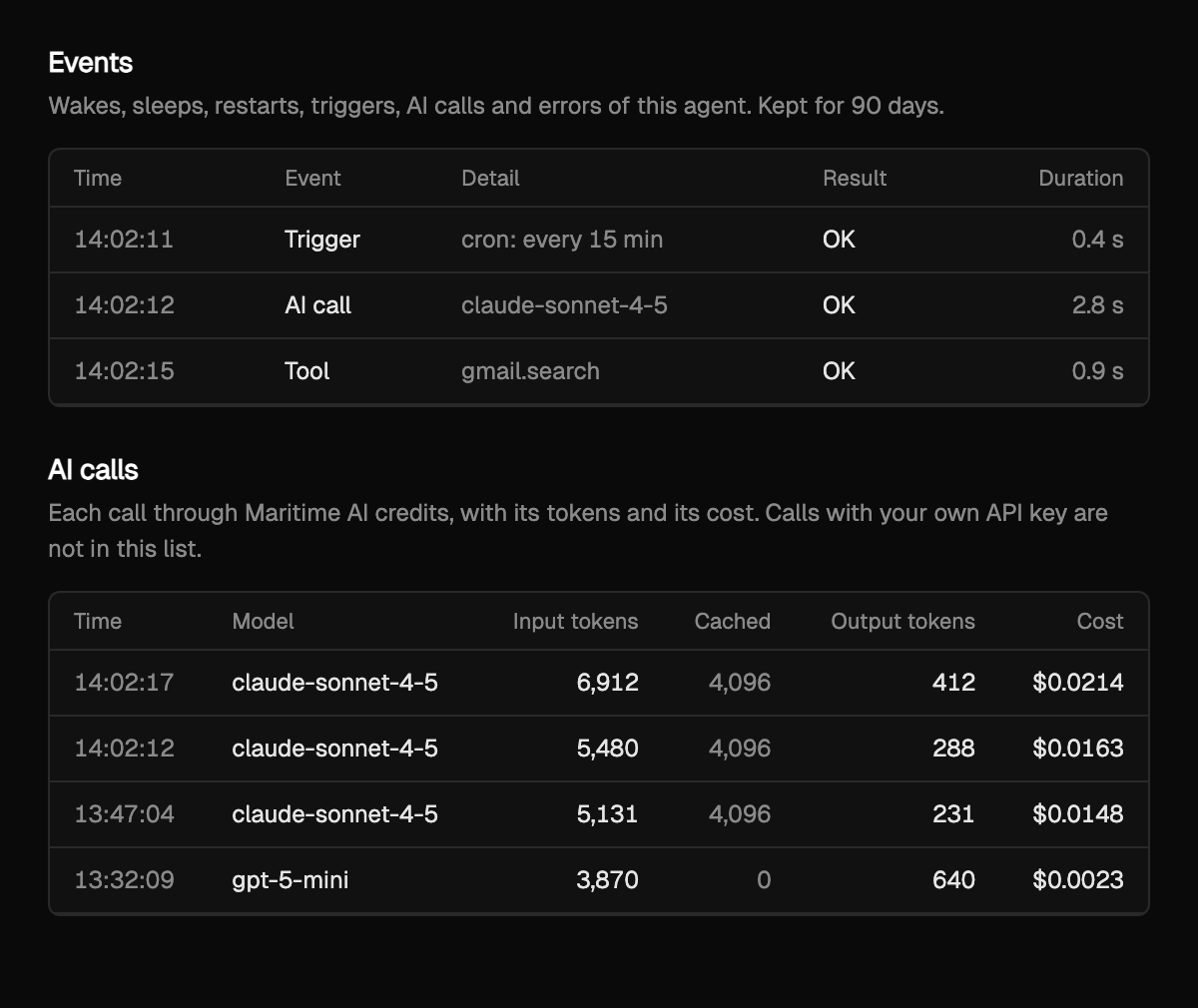
See where the money goes. Events shows what the agent did (wakes, triggers, AI calls, errors) and AI calls shows every call through your AI credits with its tokens and cost.
Deploy first, claim later
If you let a coding agent set Maritime up for you, it no longer needs an account first. The agent runs one command, deploys, and hands you a claim link, and the agent moves into your account when you open it. Point Claude Code or Codex at maritime.sh/agents.md and it can do the whole thing on its own.
Read agents.md