
Fleet operations
Spin up N identical agents with one command, watch them come alive, talk to them, and tear them down. Ideal for simulations (say, 20 openclaw agents running a communication protocol against each other), load tests, or one-agent-per-customer batches.
Requires maritime-cli ≥ 1.5 for --count. Check with maritime --version; update via npm i -g maritime-cli. The Fleet console works on any version.

1. Authenticate
Mint a long-lived API key (mk_…) once, then export it. Every fleet command below works non-interactively with just this env var: no browser login, no stored config.
maritime keys create -n fleet --json
# → { "key": "mk_...", ... }   (shown ONCE; store it)

export MARITIME_TOKEN=mk_xxxxxxxxxxxxxxxxxxxxxxxx
2. Spin up N identical agents
One call. The name you pass becomes the prefix: --count 5 creates agents named swarm-1 through swarm-5, each with its own ID.
maritime create swarm --template openclaw --count 5 --idle 3600 --json--idle 3600 keeps every agent awake for an hour after its last request, so nobody sleeps mid-simulation. --idle 0 = always-on (never auto-sleep). Omit it and agents inherit the platform default, sleeping when idle and auto-waking on the next message.
With --json you get the batch result back: created agents (with IDs), any failures, and the monthly cost:
{
  "created": [
    { "id": "…", "name": "swarm-1", "status": "deploying" },
    { "id": "…", "name": "swarm-2", "status": "deploying" }
  ],
  "failed": [],
  "requested": 5,
  "monthlyCostCents": 500
}
Exit code 0 = all created; 1 = partial or none (inspect created/failed). --template, --repo, and -e/--env apply to every agent in the fleet.
3. Watch them live
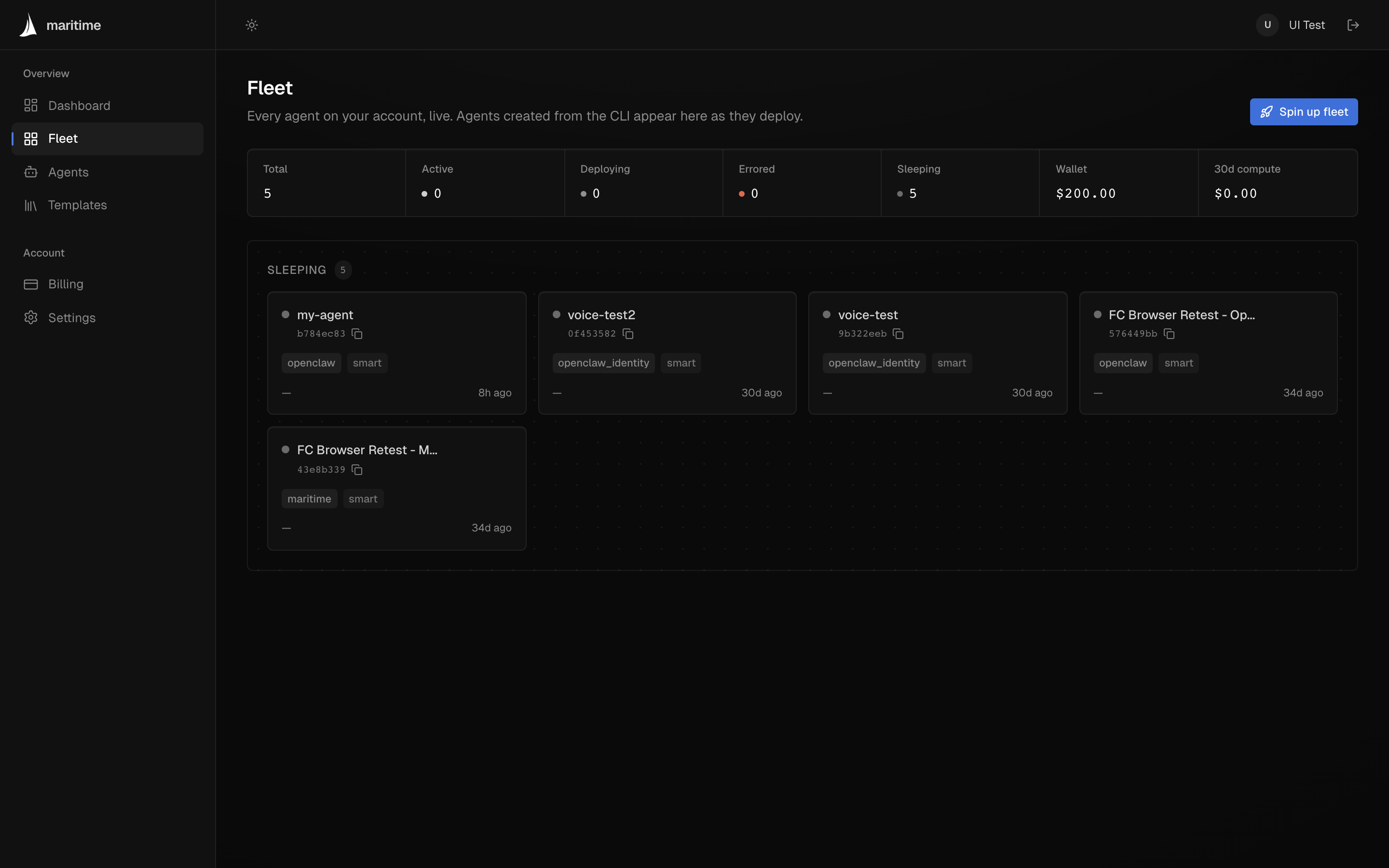
Open maritime.sh/fleet: one block per agent appears immediately, flipping deploying → active within seconds. The Fleet page polls continuously, so you can leave it open while a simulation runs. Fleets can also be spun up from that page directly if you prefer the UI to the CLI.
4. Talk to and inspect members
Every fleet member is a normal agent, so every CLI command works on it by name.
# Send a message and get the reply:
maritime chat swarm-1 "status report"

# Stream a member's logs live:
maritime logs swarm-1 -f

# Full detail (env keys, image, deployments, placement):
maritime info swarm-1
Fan a message out to the whole fleet from the batch output:
maritime create swarm --template openclaw --count 5 --idle 3600 --json \
  | jq -r '.created[].name' \
  | xargs -I{} maritime chat {} "introduce yourself" --json
5. Tear down
Delete a single member, or loop over all of them. -y skips the confirmation prompt (required when non-interactive).
# One member:
maritime delete swarm-3 -y

# The whole fleet:
for i in $(seq 1 5); do maritime delete swarm-$i -y --json; done
Limits & billing
| Rule | Detail |
|---|---|
| Account | Fleet spin-ups are for logged-in users only. |
| Billing | Agents count against your plan's included number (see Billing & plans); agents beyond it accrue the plan's flat extra-agent price per day. If the spin-up would exceed what your plan allows (for example the free tier's 3 agents), the call fails with 402 and nothing is created. Awake time costs nothing extra. |
| Cap | Hard cap of 50 agents per spin-up, enforced client- and server-side. Need more? Contact us and tell us about your use case. We keep the cap to protect shared server capacity. |
See also
The full flag reference for maritime create (templates, env vars, resource overrides) lives in the CLI Reference. For scripting conventions (the --json contract and exit codes), see Scripting & AI agents.