
Blueprints
A blueprint packages a working agent — image, configuration, and memory — into something others can clone in one click. Share it with a link, or publish it to the library.
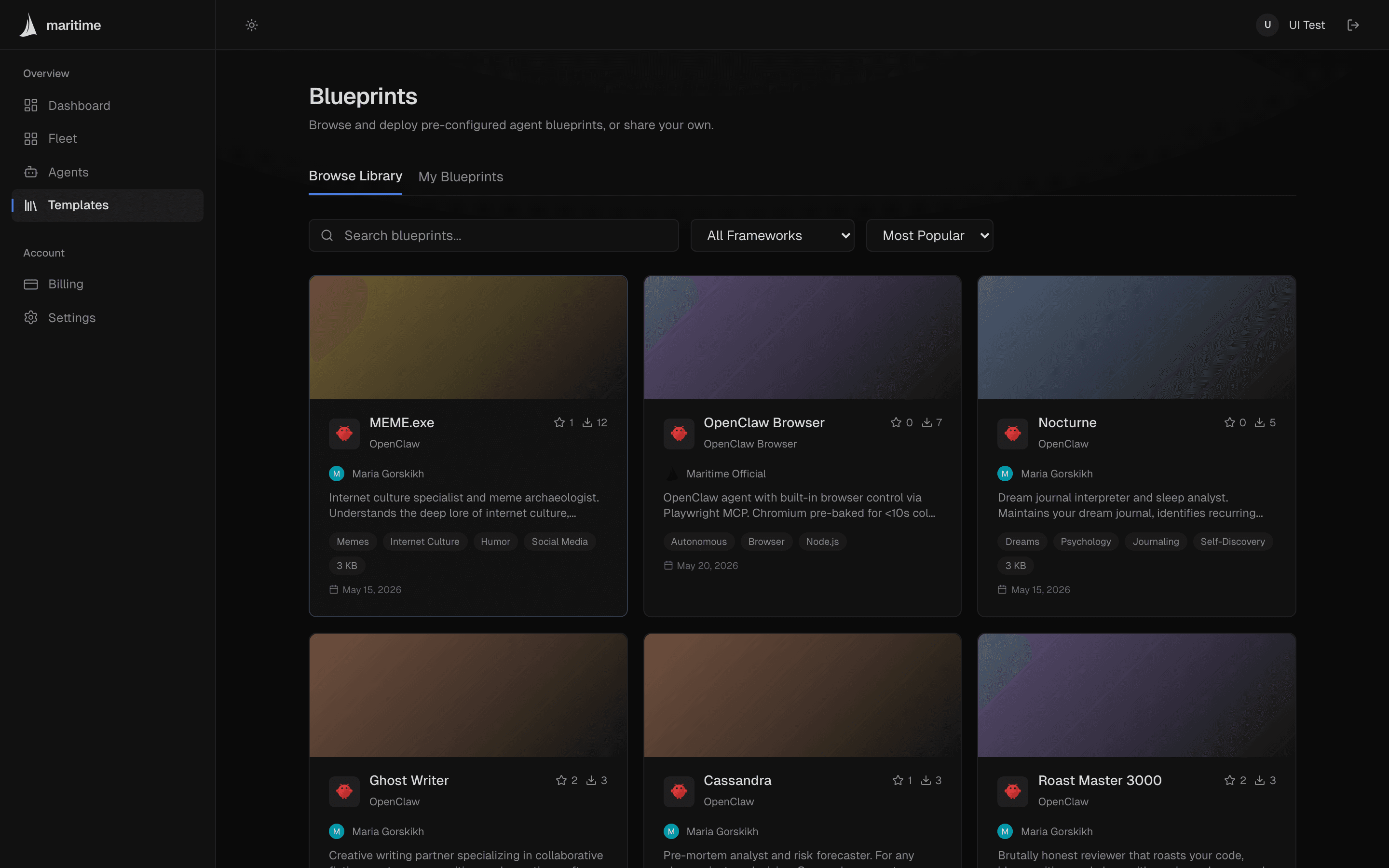
What's in a blueprint
A blueprint captures all three layers of an agent:
- The image — including any code you changed inside the container, not just the base template.
- Environment variables — keys are kept as templates, but secret values are blanked. Whoever deploys fills in their own.
- The
/datavolume — the agent's memory, persona, and workspace files. You pick exactly which files to include during creation.
Credentials never travel: gateway passwords, device pairings, SSH keys, and any JSON fields that look like api_key / token / password are stripped automatically.
Create a blueprint
- Open your agent and click Blueprint in the header. If the agent is running, Maritime puts it to sleep first so the capture is consistent.
- Give it a name and description, pick a visibility — Unlisted (share link only) or Public (listed in the library) — and optionally tags and a cover image.
- Review the file list from the agent's
/datavolume and deselect anything you don't want to ship. - Create. Capture usually takes 1–10 minutes (it snapshots the image and volume); you can navigate away and come back.
When it's ready you get a magic link — maritime.sh/share/blueprints/<slug> — you can send to anyone. Your blueprints live under Blueprints → My Blueprints, where you can change visibility, share, or delete.
Deploy from the library
On a blueprint's page, Clone Agent asks for a name and tier, then walks through the environment variables the original agent used. For the LLM key you can choose Use Maritime LLM (included) — billed against your API budget — or paste your own key. Optional connected services can be left blank and reconnected later. The clone boots with the blueprint's image and memory, but none of the creator's secrets.
From the CLI
# Package a sleeping/stopped agent:
maritime blueprint create my-agent --name "Support Bot v2" --visibility unlisted

# List yours:
maritime blueprint list

# Clone one into a new agent:
maritime blueprint deploy support-bot-v2 --name my-support-bot

# Alias: maritime bp
Full flag reference in the CLI docs.